
Skip to content
View in the app

A better way to browse. Learn more.

Pediatric Surgery Club

A full-screen app on your home screen with push notifications, badges and more.

To install this app on iOS and iPadOS
  1. Tap the Share icon in Safari
  2. Scroll the menu and tap Add to Home Screen.
  3. Tap Add in the top-right corner.
To install this app on Android
  1. Tap the 3-dot menu (⋮) in the top-right corner of the browser.
  2. Tap Add to Home screen or Install app.
  3. Confirm by tapping Install.
Get your Pro Membership!

admin

Administrators
  • Joined

  • Last visited

Files posted by admin

  1. Undescended testis , Guidelines for management lecture
    • 1 Downloads
  2. Abdominal Wall Defects lecture
    • 1 Downloads
  3. Congenital abdominal wall defects lecture
    • 1 Downloads
  4. Hypospadias introduction lecture
    • 2 Downloads
  5. Spongioplasty in Hypospadias repair lecture

    • 1 Downloads
  6. two thoracic Trauma lectures
    • 2 Downloads
  7. Pediatric abdominal trauma lecture
    • 1 Downloads
  8. Vaginal atresia lecture
    • 3 Downloads
  9. Disorders of Sex Development presentation
    • 2 Downloads
  10. Central Venous Access lecture
    • 3 Downloads
  11. A Concise JPS Journal Club Discussion lecture
    • 1 Downloads
  12. Pediatric Surgical Radiology Lecture
    • 2 Downloads
  13. Pediatric surgery quiz 3 case scenario
    • 2 Downloads
  14. Pediatric surgery quiz 2 case scenario
    • 6 Downloads
  15. Pediatric surgery quiz 1 case scenario
    • 2 Downloads
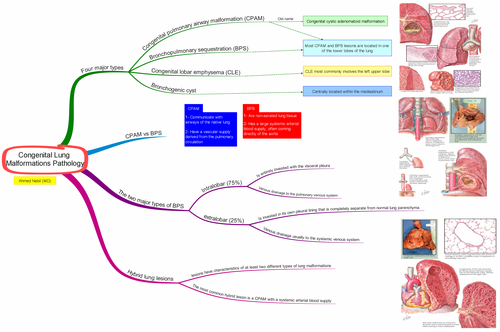
  16. Congenital Lung Malformations Pathology mind map HQ PDF
    • 4 Downloads
  17. Cysts of mediastinum and lung lecture
    • 4 Downloads
  18. How To Write A Scientific Research Paper Lecture
    • 1 Downloads
  19. Pediatric and neonate Nutrition lecture PDF
    • 2 Downloads
  20. Surgery and medicine In ancient Egypt lecture
    • 1 Downloads
  21. Fluid and Electrolytes lecture PDF
    • 1 Downloads
  22. Pediatric Surgery - Common Pediatric Surgical Disorders lecture
    • 4 Downloads
    • 4 Downloads

Account

Navigation

Search

Search

Configure browser push notifications

Chrome (Android)
  1. Tap the lock icon next to the address bar.
  2. Tap Permissions → Notifications.
  3. Adjust your preference.
Chrome (Desktop)
  1. Click the padlock icon in the address bar.
  2. Select Site settings.
  3. Find Notifications and adjust your preference.