
Skip to content
View in the app

A better way to browse. Learn more.

Pediatric Surgery Club

A full-screen app on your home screen with push notifications, badges and more.

To install this app on iOS and iPadOS
  1. Tap the Share icon in Safari
  2. Scroll the menu and tap Add to Home Screen.
  3. Tap Add in the top-right corner.
To install this app on Android
  1. Tap the 3-dot menu (⋮) in the top-right corner of the browser.
  2. Tap Add to Home screen or Install app.
  3. Confirm by tapping Install.
Get your Pro Membership!

admin

Administrators
  • Joined

  • Last visited

Files posted by admin

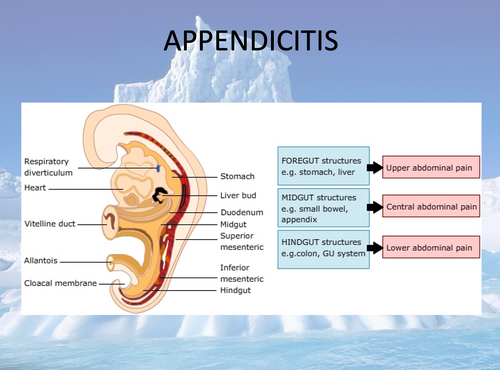
  1. Appendicitis lecture
    • 4 Downloads
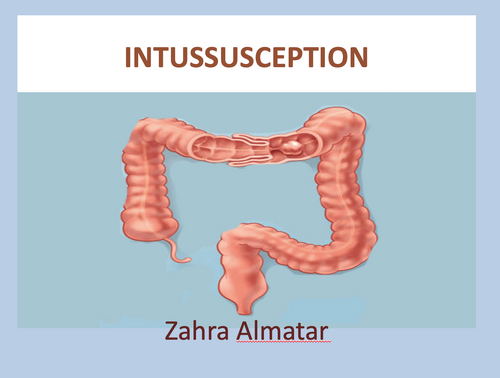
  2. INTUSSUSCEPTIONlecture
    • 1 Downloads
  3. Approach to nonbilious emesis lecture
    • 3 Downloads
  4. Neonate with bilious vomiting lecture
    • 1 Downloads
  5. Intestinal Obstruction lecture
    • 1 Downloads
  6. Duodenal Obstruction lecture
    • 2 Downloads
  7. Approach To Intestinal Obstruction lecture
    • 2 Downloads
  8. Inguinoscrotal Conditions lecture
    • 2 Downloads
  9. Acute scrotum lecture
    • 2 Downloads
  10. Management of Hirschsprung's disease lecture
    • 1 Downloads
  11. HIRSCHSPRUNG'S DISEASE lecture
    • 2 Downloads
  12. HIRSCHSPRUNG’S DISEASE lecture
    • 1 Downloads
  13. HIRSCHSPRUNGDISEASE lecture
    • 2 Downloads
  14. Midgut Malrotation & Short Bowel Syndrome lecture
    • 2 Downloads
  15. Lower GI bleeding and Meckel Diverticulum lecture
    • 2 Downloads
  16. Inflammatory bowel disease lecture
    • 1 Downloads
  17. Gastrointestinal Bleeding lecture
    • 1 Downloads
  18. Case of Lower GI bleeding lecture
    • 1 Downloads
  19. Overview of Pediatric GERD Management lecture
    • 1 Downloads
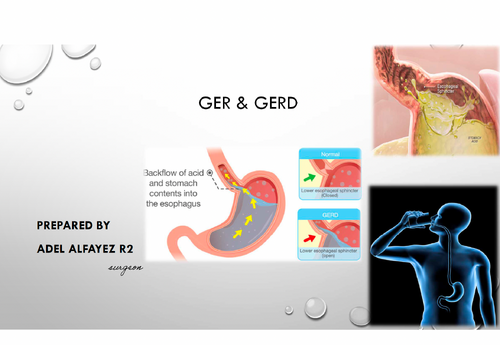
  20. GER & GERD lecture
    • 1 Downloads
  21. DSD lecture
    • 3 Downloads
  22. Disorders of Prepuce lecture
    • 1 Downloads
  23. DSD lecture
    • 10 Downloads
  24. Disorders of the Breast lecture
    • 1 Downloads
  25. Incontinence lecture
    • 2 Downloads

Account

Navigation

Search

Search

Configure browser push notifications

Chrome (Android)
  1. Tap the lock icon next to the address bar.
  2. Tap Permissions → Notifications.
  3. Adjust your preference.
Chrome (Desktop)
  1. Click the padlock icon in the address bar.
  2. Select Site settings.
  3. Find Notifications and adjust your preference.