
Skip to content
View in the app

A better way to browse. Learn more.

Pediatric Surgery Club

A full-screen app on your home screen with push notifications, badges and more.

To install this app on iOS and iPadOS
  1. Tap the Share icon in Safari
  2. Scroll the menu and tap Add to Home Screen.
  3. Tap Add in the top-right corner.
To install this app on Android
  1. Tap the 3-dot menu (⋮) in the top-right corner of the browser.
  2. Tap Add to Home screen or Install app.
  3. Confirm by tapping Install.
Get your Pro Membership!

admin

Administrators
  • Joined

  • Last visited

Files posted by admin

  1. Management of Wilms tumor lecture
    • 2 Downloads
  2. LYMPHATIC MALFORMATION lecture
    • 2 Downloads
  3. HEMANGIOMAS lecture
    • 2 Downloads
  4. Management of Gonadal/ExtraGonadal Germ cells tumor lecture
    • 1 Downloads
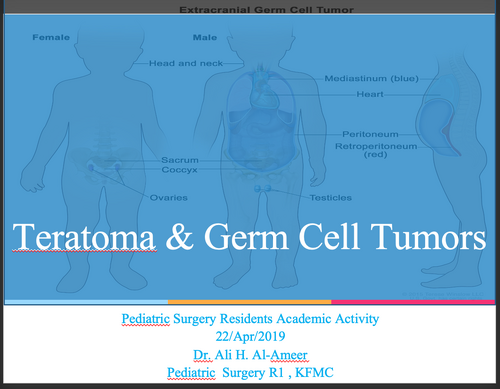
  5. Teratoma & Germ Cell Tumors lecture
    • 2 Downloads
  6. Adrenal Tumors (Overview) lecture
    • 2 Downloads
  7. A p p r o a c h T o A b d o m i n a l M a s s e s I n C h i l d r e n lecture
    • 2 Downloads
  8. THORACIC TRAUMA lecture
    • 1 Downloads
  9. ThoracicTrauma lecture
    • 0 Downloads
  10. Systemic response to injury and metabolic support lecture
    • 0 Downloads
  11. Genitourinary Tract Trauma lecture
    • 0 Downloads
  12. Ingestion of Foreign Bodies lecture
    • 0 Downloads
  13. Child Abuse lecture
    • 0 Downloads
  14. Biopsy Principles and Techniques lecture
    • 6 Downloads
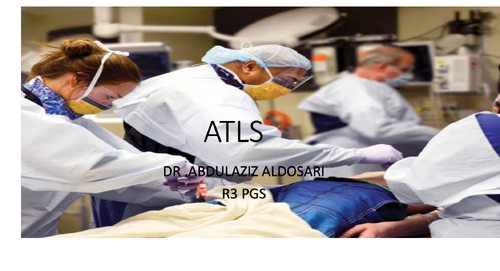
  15. ATLS lecture
    • 2 Downloads
  16. Abdominal Trauma lecture
    • 2 Downloads
  17. ABDOMINAL TRAUMA IN PEDIATRICS lecture
    • 1 Downloads
  18. Abdominal trauma lecture
    • 1 Downloads
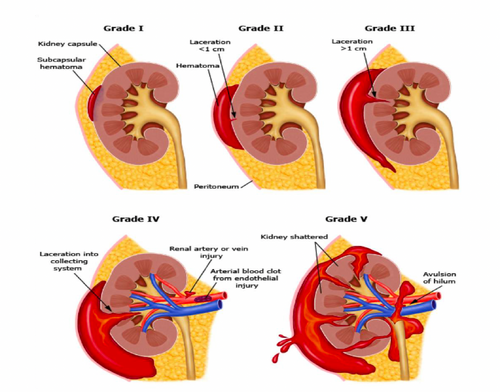
  19. Organ Injury Grading
    • 5 Downloads
  20. Thyroid and Parathyroid diseases lecture
    • 1 Downloads
  21. Thyroid & Parathyroid Diseases lecture
    • 2 Downloads
  22. Approach to Thyroid Nodule lecture
    • 1 Downloads
  23. Thyroid and Parathyroid Disorders lecture
    • 1 Downloads
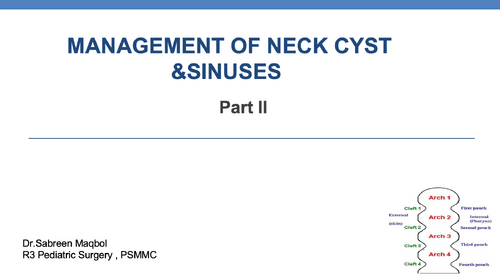
  24. MANAGEMENT OF NECK CYST & SINUSES lecture
    • 2 Downloads
  25. Cysts and sinuses of the neck lecture
    • 2 Downloads

Account

Navigation

Search

Search

Configure browser push notifications

Chrome (Android)
  1. Tap the lock icon next to the address bar.
  2. Tap Permissions → Notifications.
  3. Adjust your preference.
Chrome (Desktop)
  1. Click the padlock icon in the address bar.
  2. Select Site settings.
  3. Find Notifications and adjust your preference.