
Skip to content
View in the app

A better way to browse. Learn more.

Pediatric Surgery Club

A full-screen app on your home screen with push notifications, badges and more.

To install this app on iOS and iPadOS
  1. Tap the Share icon in Safari
  2. Scroll the menu and tap Add to Home Screen.
  3. Tap Add in the top-right corner.
To install this app on Android
  1. Tap the 3-dot menu (⋮) in the top-right corner of the browser.
  2. Tap Add to Home screen or Install app.
  3. Confirm by tapping Install.
Get your Pro Membership!

admin

Administrators
  • Joined

  • Last visited

Files posted by admin

  1. Gastrointestinal Embryology lecture
    • 1 Downloads
  2. Genitourinary Embryology lecture
    • 2 Downloads
  3. Embryology and Human Development lecture
    • 1 Downloads
  4. Overview of Anorectal Malformations lecture
    • 8 Downloads
  5. Motility lecture
    • 2 Downloads
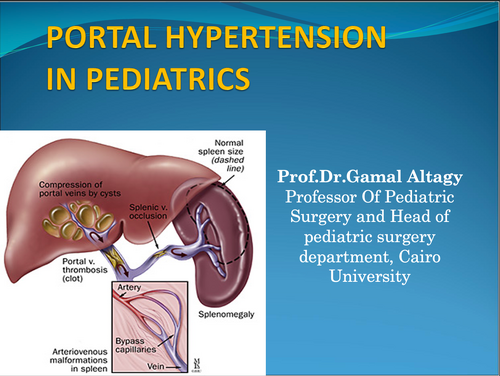
  6. PORTAL HYPERTENSION lecture
    • 8 Downloads
  7. Introduction to Lower GIT diseases lecture
    • 3 Downloads
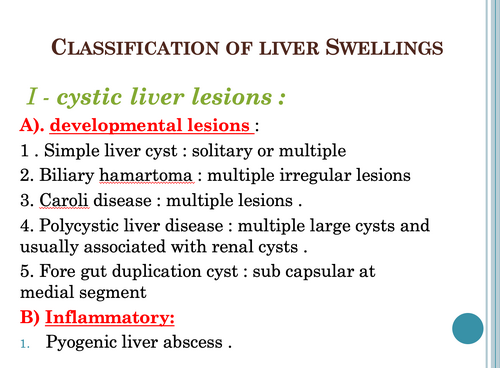
  8. Classification of liver Swellings lecture
    • 1 Downloads
  9. Choledochal Cyst lecture
    • 4 Downloads
  10. BILIARY ATRESIA lecture
    • 1 Downloads
  11. Neonatal Ventilation lecture
    • 2 Downloads
  12. Fetal Medicine for Neonatologists MDT teaching
    • 2 Downloads
  13. Hepatoblastoma lecture
    • 5 Downloads
  14. Vascular access lecture
    • 2 Downloads
  15. DSD panel
    • 3 Downloads
  16. Vesicoureteral Reflux lecture
    • 5 Downloads
  17. Prune belly syndrome lecture
    • 2 Downloads
  18. Developmental and positional anomalies of the kidneys, ureteral obstruction and malformations lecture
    • 11 Downloads
  19. Perineal Trauma in Children lecture
    • 2 Downloads
  20. PEDIATRIC & ADOLESCENTGYNECOLOGICAL PROBLEMS lecture
    • 2 Downloads
  21. Evidence-Based Medicine lecture
    • 1 Downloads
  22. Low imperforate anus in the male: extent of deviation from the norm lecture
    • 3 Downloads
  23. Ano-Rectal Anomalies lecture
    • 3 Downloads
  24. Cloaca & Anorectal Malormations lecture
    • 10 Downloads
  25. Splenic Disorder lecture
    • 2 Downloads

Account

Navigation

Search

Search

Configure browser push notifications

Chrome (Android)
  1. Tap the lock icon next to the address bar.
  2. Tap Permissions → Notifications.
  3. Adjust your preference.
Chrome (Desktop)
  1. Click the padlock icon in the address bar.
  2. Select Site settings.
  3. Find Notifications and adjust your preference.